


Manual processes don’t fail all at once. They erode slowly. One missed follow-up, one duplicate entry, one approval stuck in someone’s inbox. As the business grows, that erosion accelerates.
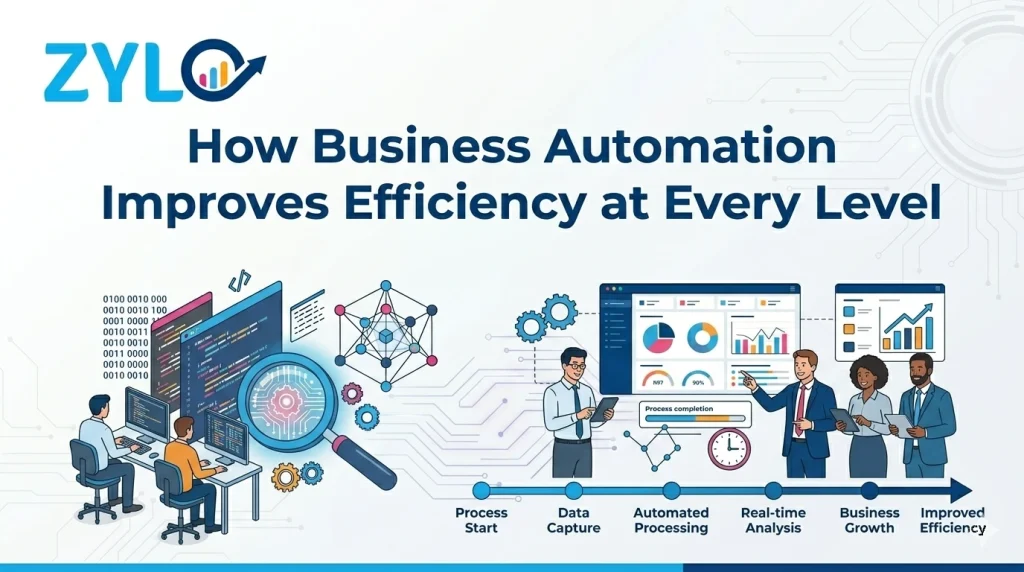
How business automation improves efficiency is by stopping that erosion at the source. Instead of relying on individuals to remember every step, automation builds the process into the system itself. Workflows run consistently. Handoffs happen automatically. Errors shrink.
For business owners, the result is an operation that handles more volume without demanding proportionally more effort to manage it. In this article, we’ll break down the advantages automation brings in enhancing efficiency. So, let’s dive right in:
What Is Business Automation?
Business automation is the use of software, rules, and connected workflows to complete recurring business tasks with less manual effort. IBM defines business process automation as a strategy that uses software to automate complex and repetitive business processes in order to streamline day-to-day operations.
In simple terms, automation removes unnecessary human effort from predictable tasks. It can send notifications, route approvals, update records, trigger reminders, assign work, or move data between systems automatically.
This is important for enterprise owners because many everyday inefficiencies come from routine process delays. Teams often spend valuable time entering the same information more than once, waiting for approvals, tracking status updates, or correcting avoidable errors. Automation reduces that friction. It makes operations faster, smoother, and easier to manage.
A good way to think about it is this: automation does not replace business thinking. It improves how business tasks move from one step to the next.
Which Business Processes Can Be Automated?
Many business processes can be automated, especially when they are repetitive, rules-based, and dependent on clear steps. The strongest candidates include:
✓ Lead capture and lead assignment
✓ Sales follow-up reminders
✓ Invoice creation and payment reminders
✓ Expense and purchase approvals
✓ Inventory alerts and reorder triggers
✓ Employee onboarding workflows
✓ Leave and attendance approvals
✓ Service ticket routing
✓ Document collection and validation
✓ Scheduled report generation
These processes are good automation candidates because they usually share three traits:
→ They happen often.
→ They follow a predictable path.
→ Delays or mistakes create real business problems.
If a process requires repeated data entry, routine approval, regular reminders, or status tracking, it is usually worth reviewing for automation.
How Business Automation Improves Efficiency
Automation doesn’t just speed things up. It changes how work moves, more consistently, more reliably, and with far fewer gaps between steps. McKinsey estimates automation technologies could boost global productivity growth by 0.8 to 1.4 percent annually. That potential, however, only materializes when organizations actually change how they operate, not just which tools they use. The core payoff is simple: less time maintaining the process, more time doing meaningful work. Here is how business automation improves efficiency:
1. It Cuts Repetitive Manual Work
The average employee spends roughly 40% of their workweek on tasks that could be automated, things like re-entering data, forwarding requests, and manually updating statuses across tools. That’s not work. That’s upkeep.
Automation removes that burden. Records update automatically. Notifications go out without a reminder. The next step gets assigned without anyone having to remember it.
Sales teams can focus on prospects. Finance can focus on analysis. Managers can focus on decisions instead of coordination.
2. It Speeds Up Routine Workflows
Most business delays aren’t caused by the work itself. They’re caused by waiting. A quote sits in someone’s inbox. A leave request goes unnoticed. A support ticket stalls because no one claimed it.
Automation routes tasks immediately. It sends reminders. It escalates overdue actions without anyone having to follow up manually.
The result: faster completion without adding manual effort. Operations become more responsive and more predictable.
3. It Reduces Avoidable Errors
Manual repetition breeds mistakes. Latest industry research highlights that standardizing recurring work through automation can significantly reduce error rates tied to human inconsistency.
One small error rarely stays small. A wrong invoice triggers a correction. A duplicate customer entry distorts reporting. A missed approval delays a project. Each mistake creates downstream work.
Less rework means smoother operations, tighter quality control, and fewer cross-team interruptions.
4. It Standardizes Execution
In manual processes, the same task gets done five different ways. One person follows the standard carefully. Another skips steps. A third builds a shortcut no one else understands.
Automation enforces consistency. The workflow follows the same logic every time, unless an exception is deliberately built in.
That consistency improves control. It simplifies training, supports compliance, and reduces dependence on individual habits. Critical processes run predictably, not improvisationally.
5. It Fixes Handoffs Between Teams
Most operational breakdowns don’t happen within departments. They happen between them. Sales passes incomplete details to finance. Procurement receives requests missing key information. Customer service doesn’t know the latest account status.
Automation defines what information must exist before work moves forward. It assigns ownership and notifies the next team immediately.
For growing organizations, better handoffs often deliver as much efficiency as faster individual tasks, because cross-functional delays tend to become the biggest bottlenecks at scale.
6. It Gives Leaders Visibility Into Operations
Not knowing where work is stuck is one of the most common operational frustrations. In manual environments, finding out means checking emails or asking around.
Automation creates a traceable workflow. Tasks are logged. Steps are visible. Delays surface clearly. IBM research points to centralized data access and real-time tracking as key transparency gains from automation.
That visibility matters because it shifts problem-solving from assumption to evidence. Fix the actual bottleneck, not the perceived one.
7. It Improves How Talent Is Used
Efficiency isn’t only about cutting costs. It’s about deploying people well.
Studies suggest knowledge workers recover an average of 3.6 hours per week when routine tasks are automated. Those hours shift toward judgment-intensive work, planning, analysis, relationship-building, and problem-solving.
A finance team focused on cash flow strategy. HR focused on people, not paperwork. That shift is where real productivity gains live.
8. It Makes Reporting More Reliable
Manual processes produce unreliable data. Information is incomplete, delayed, or scattered across files. If records are updated inconsistently, no one gets a clear view of what’s actually happening.
Automation captures workflow activity in a structured, consistent way. Approval times, response times, cycle times, and exception rates all become measurable once the process is standardized.
Better data leads to better decisions. Problems surface earlier. Performance tracking becomes accurate. And if those workflows connect to a Power BI dashboard, visibility strengthens further.
9. It Enables Growth Without Proportional Overhead
Manual operations don’t scale cleanly. More customers create more follow-ups. More staff creates more approvals. More transactions create more reconciliation work.
Without automation, the typical response is to add headcount. That solves immediate pressure but increases complexity and overhead in equal measure.
A Deloitte survey found that 59% of organizations use automation primarily to reduce costs, but the more durable benefit is scalability. Structured workflows handle more volume without demanding proportional increases in manual coordination.
Growth becomes easier to absorb.
10. It Builds a Foundation for Future Improvement
Automation doesn’t just solve today’s inefficiencies. It creates the infrastructure for ongoing improvement. Documented, standardized workflows are easier to optimize, integrate, and measure over time.
This matters especially for organizations planning broader upgrades. Whether that’s ERP implementation, data analytics, or business intelligence solutions, automation makes the transition cleaner. Processes are already structured, and data is already more usable.
McKinsey’s productivity research puts it plainly: automation delivers the most value when it supports a more disciplined operating model, not just faster individual tasks. Technology is the easy part. How the organization uses the capacity it frees up is what determines the outcome.
Real-World Examples of Business Automation
Business owners often look at automation through a practical lens: where exactly would it make a difference? The examples below help turn the idea into something more tangible.
■ Sales lead handling
When a visitor submits a form on the website, the system can automatically create a lead record, assign it to the appropriate sales representative, schedule the next follow-up, and update the sales pipeline. This speeds up response times. It also reduces the chance of missed opportunities.
■ Invoice approval
An invoice can enter a predefined workflow, follow the correct approval path, and trigger reminders if action is delayed. Once approval is complete, the finance team receives the validated record. This helps reduce bottlenecks and supports more disciplined payment processing.
■ Employee onboarding
When a new hire joins the company, automation can trigger document collection, internal approvals, system access requests, orientation tasks, and policy acknowledgments. The onboarding process becomes faster and more organized. Fewer steps get missed.
■ Inventory monitoring
If the stock drops below a set threshold, the system can automatically generate an internal request or notify the procurement team. This lowers the risk of stockouts and helps the business make purchasing decisions at the right time.
■ Customer support routing
A service request can be categorized and routed to the correct team based on issue type, urgency, or account priority. As a result, response times improve, and ownership becomes clearer across support teams.
What Are the Different Types of Business Automation?
Business automation can take several forms, depending on what is being automated and how wide the scope is. Some automation focuses on a single action. Others support an entire business process from start to finish.
■ Task automation
Task automation handles one specific, repetitive activity. This may include sending an email, generating a document, updating a record, or issuing a reminder. It is the simplest form of automation. But it can still save significant time.
■ Workflow automation
Workflow automation connects multiple tasks into a structured sequence. Instead of automating one step in isolation, it moves work from one stage to the next based on predefined rules. For example, a leave request may begin with employee submission, move to manager approval, and then update HR records automatically.
■ Process automation
Process automation applies to a complete business process, often spanning multiple teams or departments. It focuses on the full operational flow rather than a single task or short workflow. The goal is broader efficiency, stronger coordination, and better control across the process as a whole.
■ Intelligent automation
Intelligent automation combines standard automation with more advanced capabilities. These may include analytics, machine learning, or language-based processing. It is often used when decisions, patterns, or unstructured information need to be handled more intelligently.
What Are the Levels of Business Process Automation?
Business process automation usually develops in stages. Most businesses do not automate everything at once. They start with one process, prove the value, then expand.
Level 1: Individual task automation
A single manual task is automated, such as reminders, approvals, or document generation.
Level 2: Departmental workflow automation
A team automates one complete workflow, such as onboarding, invoice approval, or ticket handling.
Level 3: Cross-functional process automation
Multiple departments become part of one structured process, such as order-to-cash or procure-to-pay.
Level 4: Integrated automation with core systems
The automated workflow connects with systems like ERP, CRM, or reporting tools, improving visibility and central control.
Level 5: Intelligent and insight-driven automation
Automation is supported by data analytics, forecasting, or smarter decision logic to improve future actions and process performance.
This staged model helps business owners think realistically. The goal is not to automate everything immediately. The goal is to automate the right things in the right order.
Final Words
Efficiency is not a one-time project. It is an ongoing capability that compounds over time. Business automation builds that capability by turning chaotic manual processes into structured, measurable, and improvable workflows. As organizations scale, the businesses with standardized operations will absorb growth more cleanly, make faster decisions, and deploy their people on work that actually matters. Automation is the infrastructure that makes that possible. The earlier it is built, the more value it delivers.